In this guide, we'll show you how to download Microsoft Office 365 using your LMU account.
Log in to MyLMU
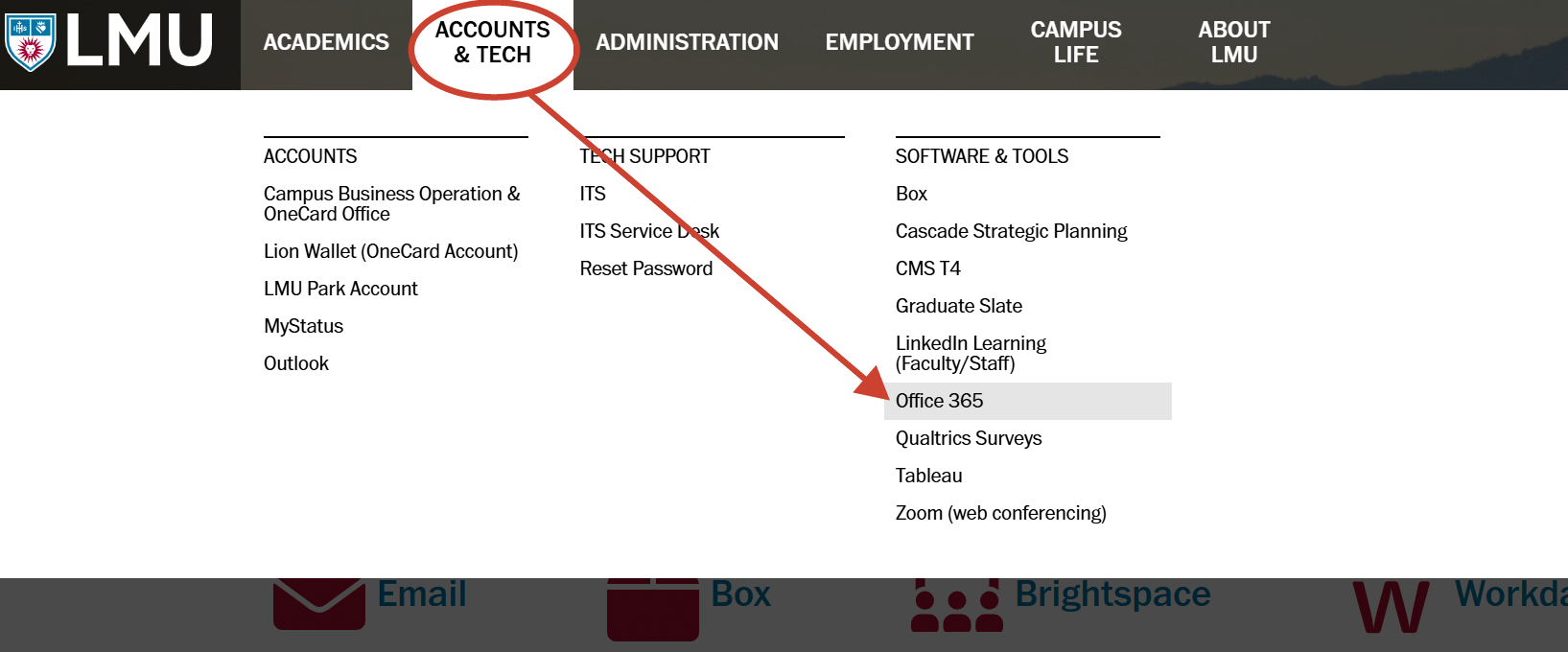
Log in to MyLMU. Then, click on Accounts & Tech on the top menu, then select Office 365.
Downloading Office 365
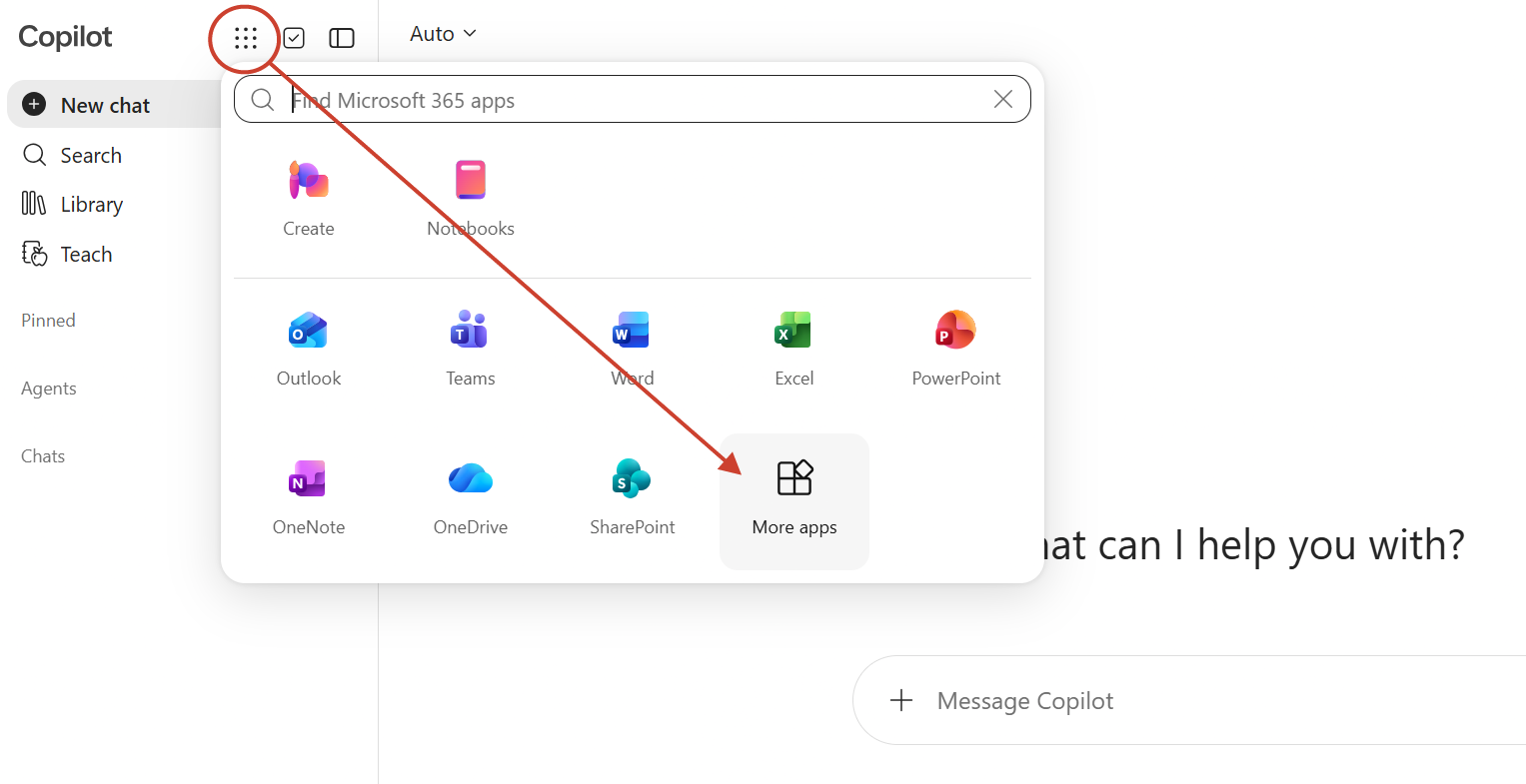
On the landing page with Microsoft Co-Pilot, click on the waffle icon and select More apps.
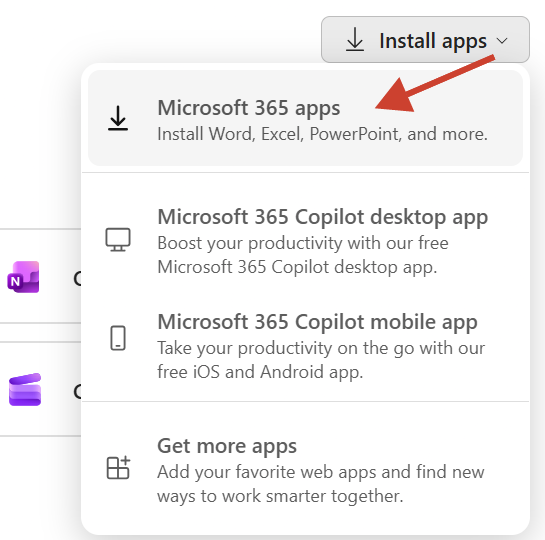
To download Office 365 apps to your computer, click on Install Apps and select Microsoft 365 apps
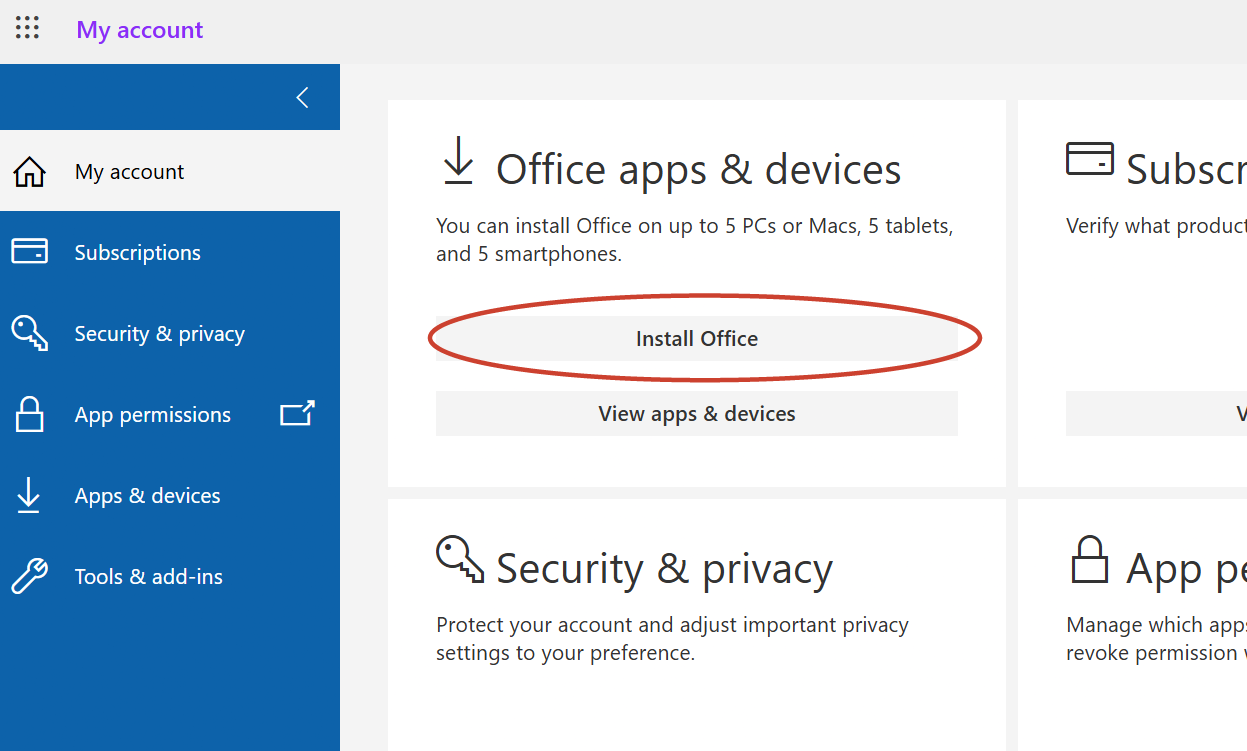
On the next page, click on Install Office and your download will begin (notice, you are allowed to install Office 365 to 5 different devices)
Install Office 365
Once the file has been downloaded to your computer, locate the file and open it to start installation.