In this guide, we'll cover:
- How to request your official transcript
- How to view your unofficial transcript / grades on PROWL
Important Reminder
Before ordering, review your unofficial transcript via your PROWL account:
- Carefully review your unofficial transcript
- Ensure all coursework is listed and marked as complete
- If any courses are labeled “IN PROGRESS,” they are not official yet
DO NOT order your transcript until all your courses are official.
Viewing Your Unofficial Transcript / Grades on PROWL
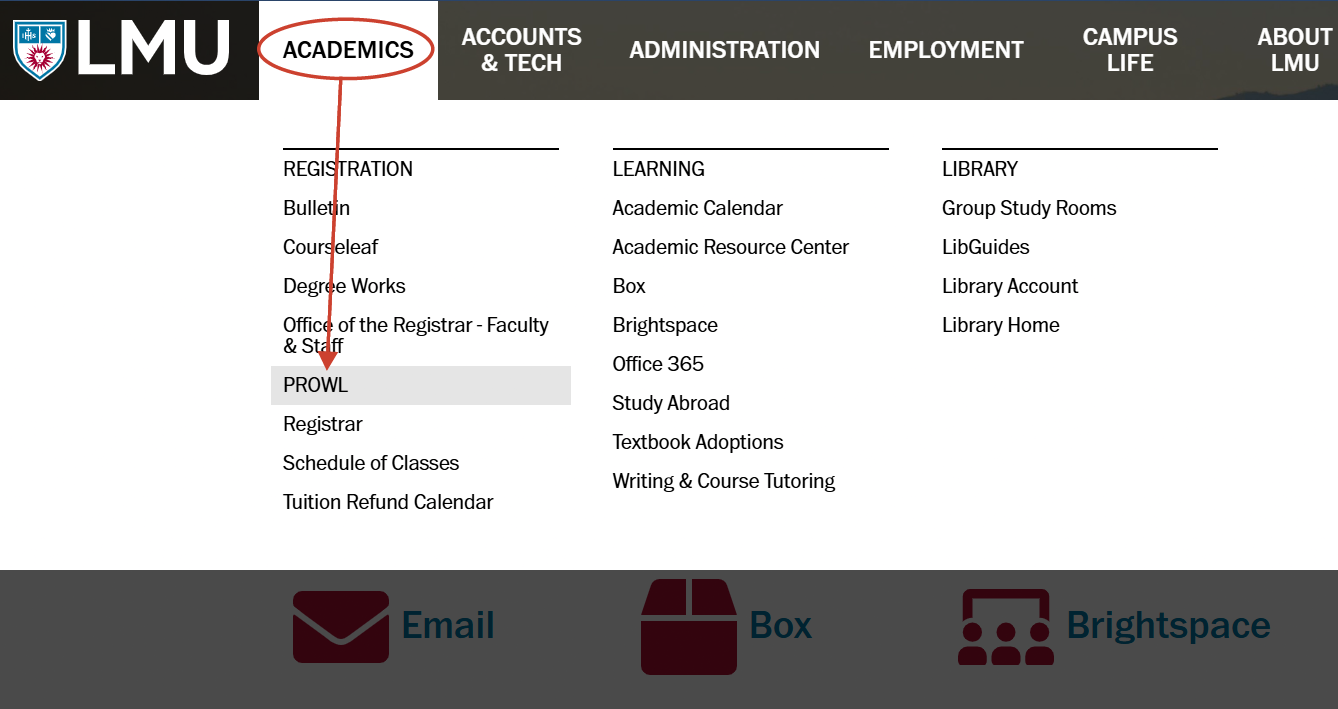
1. Log in to MyLMU. Click on ACADEMICS on the top menu, then select PROWL
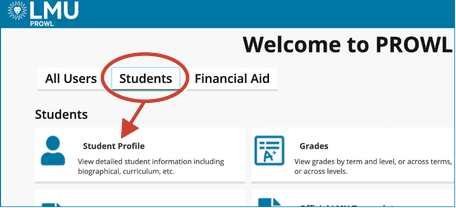
2. Click the Students tab, then select Student Profile
3. On the left-hand menu, click on Academic Transcript (Unofficial)
_edited-179x231.png)
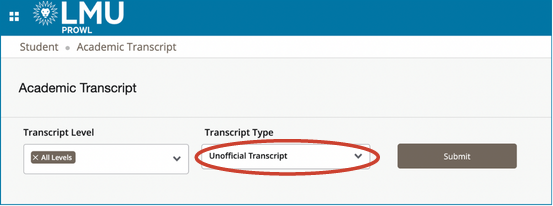
4. Select All Levels under Transcript Level and Unofficial Transcript under Transcript Type, then click Submit
Request Your Official Transcript
Electronic PDF and mailed transcripts are processed through Parchment, the official LMU transcript agent. You'll need an account with Parchment to request yout transcript.
- If you already have an account with Parchment, log in
- If you do not have an account with Parchment, create one. When creating an account, it is recommended that you use your personal email and not your LMU email.
Transcript Request Instructions
Please select the following “Transcript Type” to avoid a hold on your order:
LMU Extension Transcript - Select this option for Continuing Education, Professional Development, or Advancement coursework.