In this guide, we'll cover how to start a Discussion thread and reply to your classmates' thread on Brightspace.
Locate the Discussion
Before posting, locate the discussion activity within your current module (Content tab > module > discussion activity). Take a moment to read the prompt and requirements thoroughly so your response meets all expectations.
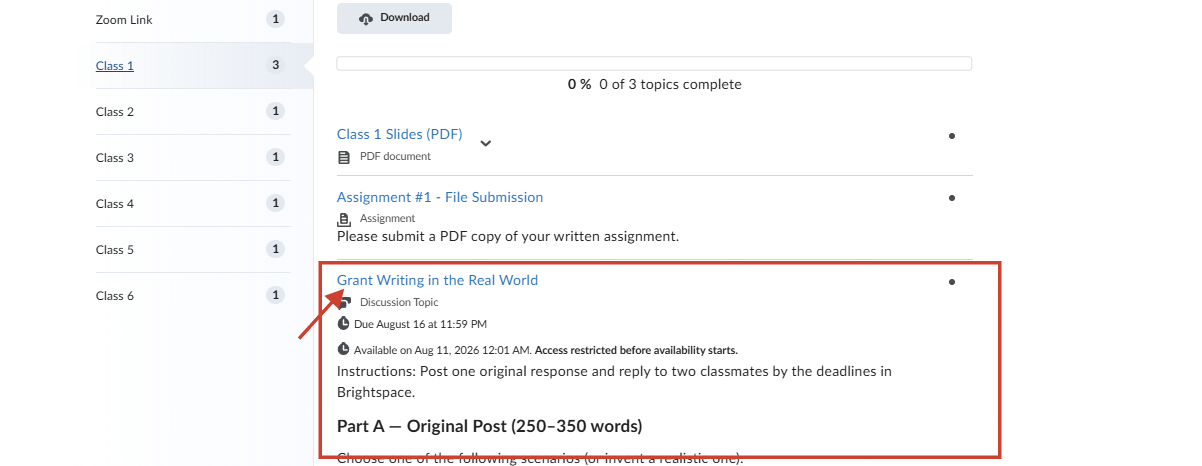
Note: To see all discussion activities in your course, click Discussion in the top navbar.
Create your post (start a thread)
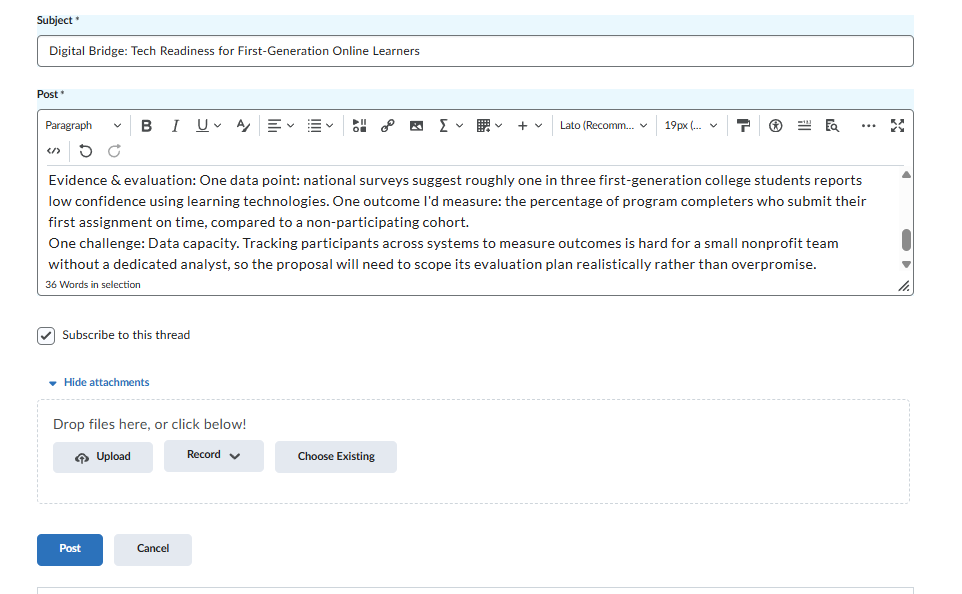
- Add a clear Subject line
- Write your response in the editor
- If needed, select Add attachments to upload a file (Word, PDF, image, etc.)
- Select Post to add your response to class discussion
Reply to classmates
- Open a classmate’s thread, then click Reply to Thread
- Write a response in the editor that connects to what they said
- Select Post
Click Subscribe to receive notifications whenever someone posts in this thread.